
Freezing Your ChexSystems File: A Comprehensive Guide
6/30/20262 min read

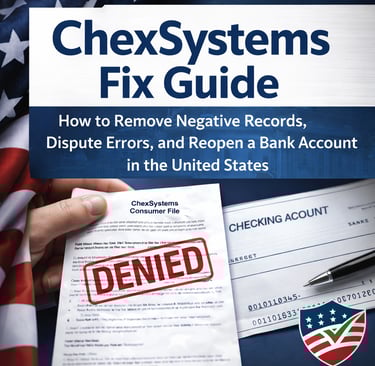
Understanding ChexSystems
ChexSystems is a consumer reporting agency that specializes in tracking check-writing history. Banks and credit unions often use ChexSystems reports to assess your eligibility for opening a new bank account. Poor handling of past banking accounts, such as overdrafts or fraud, can lead to adverse entries in your ChexSystems record, potentially hindering your chances of securing a new account.
What Does Freezing Your ChexSystems File Mean?
Freezing your ChexSystems file involves restricting access to your report by financial institutions. This proactive measure can prevent banks from viewing your report for a specified period of time, helping you regain control of your banking history. When your file is frozen, institutions cannot see negative entries in your report, making it easier for you to open new accounts without the burden of past errors impacting your choices.
The Process of Freezing Your ChexSystems File
The process to freeze your ChexSystems file is relatively straightforward. Follow these essential steps to ensure your request is processed smoothly:
Gather Information: Before initiating a freeze, gather necessary personal information, such as your Social Security number, current address, and date of birth.
Contact ChexSystems: Reach out to ChexSystems through their official website or customer service number. You may need to verify your identity and provide the gathered information.
Request the Freeze: Clearly state your intention to freeze your file and follow any provided instructions carefully. ChexSystems will provide you a confirmation once your request has been processed.
Keep Track of Your PIN: After freezing your file, ChexSystems will typically issue a PIN or password that you will need to access your file in the future, so keep it in a safe place.
Freezing your ChexSystems file not only enhances your financial privacy but also empowers you by limiting access to your sensitive information.
Reopening Your ChexSystems File
When you are ready to unfreeze your file, you can do so by following a similar process. It's crucial to remember that unfreezing can take some time, so plan ahead if you intend to apply for new bank accounts. Use the PIN or password provided to unlock your file at your convenience.
In conclusion, freezing your ChexSystems file is an excellent option for individuals experiencing issues with their banking history who wish to regain control over their account openings. Understanding the importance of this measure can facilitate a smoother banking experience in the future.
Every month you wait is costing you real money in fees, missed bonuses, and denied opportunities.
Stop guessing and stop getting rejected — fix it the right way.
👉 Get the ChexSystems Fix Master Guide now and take back control.
Help
Guidance for fixing your chexsystems report.
Contact
infoebookusa@aol.com
© 2026. All rights reserved.