What Is a Fraud Flag in ChexSystems?
Blog post description.
3/14/20265 min read
What Is a Fraud Flag in ChexSystems?
A Complete, Practical Guide for U.S. Consumers Who Were Denied a Bank Account Without Clear Explanation
If you applied for a bank account and were denied with vague language like:
“Identity verification could not be completed”
“High-risk profile”
“Fraud indicator present”
“Application declined due to consumer report”
There is a strong possibility your ChexSystems file contains a fraud flag.
And here’s the reality:
A fraud flag inside your ChexSystems file can block you from opening checking or savings accounts nationwide — even if you never committed fraud.
This guide explains exactly:
What a fraud flag in ChexSystems actually is
How fraud alerts get added
The different types of fraud indicators
How banks interpret them
How to remove or resolve a fraud flag legally
What to do before applying again
How to prevent it from happening again
No generic advice. No theory. Just the real mechanics behind banking denials in the United States.
What Is ChexSystems?
ChexSystems is a nationwide consumer reporting agency that tracks deposit account history.
It is used by:
Major national banks
Regional banks
Credit unions
Online banks
Some fintech platforms
Unlike traditional credit bureaus, ChexSystems focuses on:
Checking and savings accounts
Unpaid balances
Account abuse
Suspected fraud activity
Identity inconsistencies
When a bank pulls your ChexSystems file, they see more than unpaid balances.
They see risk signals.
One of the most serious is a fraud flag.
What Is a Fraud Flag in ChexSystems?
A fraud flag is an internal indicator placed on your consumer file suggesting:
Suspected fraudulent activity
Identity mismatch
Altered documents
Suspicious application patterns
Account misuse linked to fraud
Third-party fraud reporting
It does not always mean you committed fraud.
It means a bank reported activity that triggered a fraud-related designation.
Banks treat these flags seriously because fraud losses cost billions annually.
The Different Types of Fraud Flags
Not all fraud flags are the same.
Understanding which type you’re dealing with changes your strategy.
1. Identity Verification Failure
This occurs when:
Your SSN doesn’t match your name
Date of birth mismatch
Address inconsistencies
Multiple identity profiles
Sometimes this is just incorrect personal information.
Sometimes it’s a mixed file.
This is often fixable.
2. Suspected Account Fraud
A bank may report fraud if:
A check deposited was counterfeit
A mobile deposit was reversed
Chargebacks occurred
Third-party checks were flagged
Unusual transaction patterns occurred
Even if you were unaware.
Even if you were a victim.
3. Application Fraud Indicator
This may happen if:
You applied at multiple banks rapidly
You used inconsistent information
There was prior identity theft
Your IP/device patterns triggered review
Automated risk systems can escalate these.
4. Confirmed Fraud Reporting
This is more serious.
A bank may explicitly report:
Identity theft
Forged instruments
Intentional deception
Account takeover
In some cases, this also results in internal bank blacklisting.
Why Fraud Flags Are So Damaging
Banks rely on automation.
If your file shows a fraud indicator:
Your application may be auto-denied
You may not receive clear explanation
In-branch employees may not override it
You may be told “We cannot provide details”
Fraud flags often result in:
Repeated denials
Inability to open joint accounts
Difficulty opening business accounts
Delayed direct deposit
Forced reliance on prepaid cards
The financial impact adds up fast.
How Do Fraud Flags Get Added?
Fraud flags usually originate from:
A bank reporting activity to ChexSystems
A third-party fraud detection service
Identity mismatch data
Law enforcement involvement
Automated banking risk systems
Once reported, ChexSystems adds the indicator to your file.
It can remain for up to five years unless removed.
Step 1: Confirm Whether a Fraud Flag Exists
Do not guess.
Request your full consumer disclosure report from:
ChexSystems
Review carefully:
Identification section
Security alerts
Reported fraud activity
Account abuse notations
Inquiry patterns
Look for language such as:
“Fraud reported”
“Suspected fraudulent activity”
“Security alert”
“Account closed due to fraud”
If unclear, call and request clarification in writing.
What If the Bank Didn’t Tell You It Was Fraud?
Banks often use neutral denial language.
They may cite:
“Unable to verify identity”
“Consumer report information”
“High risk”
This does not mean there is no fraud flag.
Always verify directly with your ChexSystems file.
Common Situations That Trigger Fraud Flags (Even If You Did Nothing Wrong)
Real-world examples:
Scenario 1: You Deposited a Check That Bounced
Even if you received it in good faith.
Scenario 2: You Were a Victim of Identity Theft
Fraudsters opened accounts in your name.
Scenario 3: Shared Account Issues
A joint account holder committed fraud.
Scenario 4: Rapid Bank Applications
You applied at multiple banks in a short timeframe.
Scenario 5: Data Entry Error
Wrong SSN digit triggered fraud mismatch.
Many consumers with fraud flags are victims, not perpetrators.
How to Remove a Fraud Flag from ChexSystems
This requires precision.
Never send a vague letter.
Step 2: Determine the Nature of the Fraud Flag
Is it:
Identity error?
Mixed file?
Confirmed bank fraud report?
Identity theft?
Each requires different documentation.
Step 3: Prepare a Targeted Dispute
Your dispute must:
Identify the exact fraud notation
State why it is inaccurate
Include supporting documentation
Demand deletion or correction
Send via certified mail.
Maintain records.
Documentation You May Need
Depending on the situation:
Government-issued ID
Social Security card
Utility bill
Police report (if identity theft)
Identity theft affidavit
Bank statements
Fraud investigation letters
Documentation matters.
Without it, disputes fail.
The 30-Day Investigation Rule
Under federal law, ChexSystems generally has 30 days to investigate your dispute.
They must:
Verify the reporting bank’s claim
Confirm accuracy
Remove unverifiable information
If they cannot verify the fraud claim, it must be removed.
What If the Fraud Flag Is Accurate?
If a bank legitimately reported fraud:
Removal is harder.
Options include:
Requesting goodwill removal
Paying outstanding balances
Negotiating with reporting bank
Waiting out reporting period
However, even in confirmed cases, strategic negotiation sometimes works.
Identity Theft Fraud Flags
If fraud was committed against you:
File police report
Complete identity theft affidavit
Dispute with ChexSystems
Dispute directly with reporting bank
Place fraud alert on credit bureaus
Also consider freezing credit files.
Fraud victim cases often succeed when properly documented.
Mixed File Fraud Flags
If the fraud belongs to someone else with similar name/SSN:
This is called a mixed file.
You must:
Demand file separation
Provide identity documentation
Identify incorrect data clearly
Mixed file errors are serious but correctable.
How Long Do Fraud Flags Stay on ChexSystems?
Typically up to five years.
However:
Verified errors must be removed
Unverifiable reports must be deleted
Identity theft claims may accelerate removal
Time alone is not your only option.
When Should You Reapply for a Bank Account?
Never reapply immediately after disputing.
Wait until:
You receive updated report
Fraud notation is removed or clarified
Identity data is accurate
Then apply strategically:
Credit unions first
Avoid multiple simultaneous applications
Consider in-person verification
The Financial Cost of a Fraud Flag
Consumers often underestimate the impact.
Costs may include:
Check cashing fees
Prepaid card fees
Money order costs
Inability to receive direct deposit bonuses
Lost job opportunities (some employers require accounts)
Over 12 months, this can cost hundreds or thousands of dollars.
Why DIY Disputes Often Fail
Common mistakes:
Disputing online only
Failing to include documentation
Not identifying specific fraud language
Sending emotional letters
Not requesting method of verification
Precision beats emotion.
Structure beats frustration.
When Escalation Is Necessary
If ChexSystems refuses to correct an inaccurate fraud flag:
You may file complaints with:
Consumer Financial Protection Bureau
Federal Trade Commission
Regulatory complaints often prompt faster review.
Keep documentation organized.
Preventing Future Fraud Flags
Once resolved:
Monitor ChexSystems annually
Avoid rapid bank applications
Never deposit third-party checks casually
Protect personal data
Freeze credit if identity theft risk exists
Prevention is easier than removal.
The Emotional Impact of Being Labeled “Fraud”
Many consumers feel:
Angry
Embarrassed
Powerless
Confused
Remember:
A fraud flag is an allegation — not a conviction.
The system is automated.
Errors happen.
Correction is possible.
The Smart Way to Handle a Fraud Flag
The difference between 30 days and 6 months often comes down to:
Proper documentation
Correct dispute structure
Knowing escalation steps
Applying in the right order
Trial and error wastes time.
Structure saves access.
Don’t Let a Fraud Flag Lock You Out of the Banking System
Every week you delay:
Another denial
Another application inquiry
More fees
More frustration
You don’t fix fraud flags by hoping.
You fix them with a plan.
Want the Exact Dispute Templates, Identity Theft Affidavit Language, and Escalation Scripts?
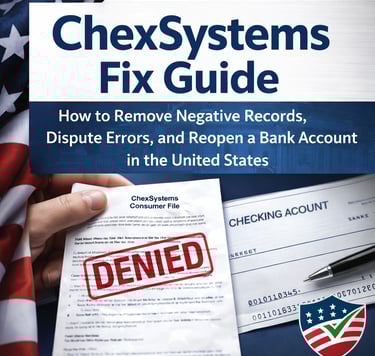
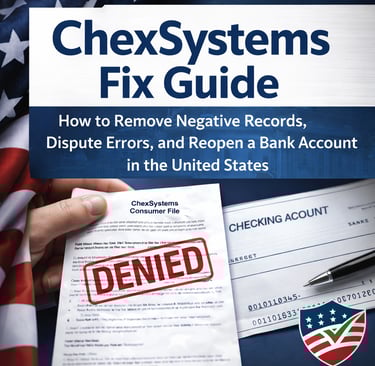
The ChexSystems Fix Guide walks you through:
Step-by-step fraud flag removal
Identity mismatch correction
Mixed file separation strategy
Regulatory complaint scripts
Bank negotiation tactics
Strategic re-application planning
Timeline optimization checklist
Instead of guessing for months…
You can follow a clear system designed specifically for U.S. banking consumers.
Time is money.
Banking access is stability.
If your ChexSystems file is standing between you and financial control — fix it properly.
Every month you wait is costing you real money in fees, missed bonuses, and denied opportunities.
Stop guessing and stop getting rejected — fix it the right way.
👉 Get the ChexSystems Fix Master Guide now and take back control.
Help
Guidance for fixing your chexsystems report.
Contact
infoebookusa@aol.com
© 2026. All rights reserved.